
Best Photo Editing Apps For Instagram are mobile and desktop tools designed to enhance images for social media through filters, retouching, color correction, AI editing, and content optimization. The right Instagram photo editing apps help creators maintain visual consistency, improve engagement, and produce professional-looking posts without complex software.
Choosing among today’s photo editing apps for Instagram can be difficult because features, pricing, AI tools, export quality, and usability vary widely. This guide compares the top options, explains their strengths, and helps identify the best editing app for different Instagram content styles and skill levels.
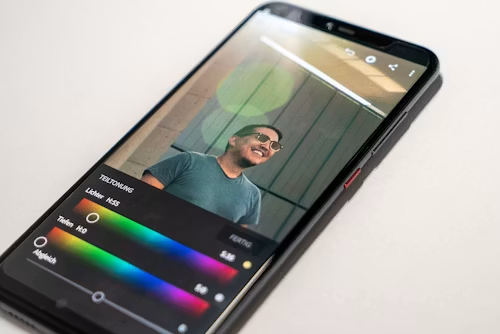
Key Takeaways
Choosing the right Instagram editing app depends on content style, workflow speed, AI capabilities, and export quality. Some apps focus on fast social-ready presets, while others prioritize advanced retouching, layered editing, or professional color grading.
- Best Overall: Adobe Lightroom for professional-grade editing and color control
- Best Budget Option: Snapseed for powerful free editing tools without subscriptions
- Best Premium Features: VSCO for cinematic filters and aesthetic consistency
- Best AI Editing Tools: PicsArt for automated enhancements and creative effects
- Best For Quick Instagram Posts: Canva for templates, resizing, and fast publishing workflows
- Best For Influencers & Creators: Facetune for selfies, beauty retouching, and portrait refinement
The apps below are organized by editing strengths, workflow advantages, and Instagram-specific use cases to simplify the selection process.
The Best Photo Editing Apps For Instagram
The best Instagram photo editing apps balance image quality, editing flexibility, ease of use, export performance, and social-media-ready tools. Selection was based on editing depth, creator feedback, mobile usability, AI features, pricing transparency, and long-term value for different types of Instagram content creators.
Comparisons also consider how these apps perform in real posting workflows, including Stories, Reels covers, carousel posts, portrait edits, and aesthetic consistency across feeds.
Best Photo Editing Apps For Instagram (Quick Picks)
Many creators prefer a quick recommendation before exploring detailed reviews. These picks focus on distinct strengths so different editing styles and budgets are represented clearly.
| Category | Option | Why It’s Best |
| Best Overall | Adobe Lightroom | Advanced color grading, presets, and professional editing tools |
| Best Budget Option | Snapseed | Completely free with strong manual editing controls |
| Best Premium Editing Experience | VSCO | High-quality film-inspired filters and cohesive aesthetics |
| Best AI Editing Tools | PicsArt | Extensive AI effects, object removal, and creative automation |
| Best For Fast Content Creation | Canva | Streamlined templates and social-ready editing workflow |
| Best For Portrait Retouching | Facetune | Specialized facial retouching and beauty enhancements |
| Best For Artistic Filters | Afterlight | Texture overlays, vintage tones, and customizable effects |
Best Overall Best Photo Editing Apps For Instagram — Adobe Lightroom
Adobe Lightroom remains one of the most complete editing platforms for Instagram creators who want professional-level control without moving to desktop software. Its mobile workflow supports RAW editing, advanced color correction, masking, and synchronized presets that help maintain visual consistency across posts.
What separates Lightroom from simpler editing apps is how much precision it offers without overwhelming experienced users. The app handles subtle skin tones, exposure balancing, and feed-wide color styling exceptionally well, making it especially valuable for creators building a recognizable Instagram aesthetic.
Key Details
| Feature | Details |
| Platform | iOS, Android, Desktop |
| Editing Style | Professional photo editing and color grading |
| AI Tools | AI masking, adaptive presets, noise reduction |
| Export Quality | High-resolution exports with flexible compression |
| Subscription Model | Free version available, premium plans optional |
| Best Strength | Advanced color and lighting control |
Key Features
Before using Lightroom regularly, many creators rely heavily on filters to shape their Instagram style. Lightroom changes that approach by giving deeper control over tones, shadows, highlights, and selective adjustments.
- Professional-grade color grading tools
- Preset syncing across devices
- RAW image support
- Selective masking and healing tools
- Cloud-based workflow integration
- Advanced lighting and exposure controls
Best For
Lightroom works particularly well for influencers, photographers, travel creators, fashion pages, and businesses that prioritize a polished and consistent feed appearance.
Limitations
The learning curve is steeper than beginner-focused apps, especially when working with masking tools or manual color adjustments. Some advanced features also require a subscription.
Alternatives
Creators looking for faster editing workflows may prefer Canva, while users focused on aesthetic presets often gravitate toward VSCO.
For creators who value editing precision and long-term scalability, Lightroom remains one of the strongest Instagram editing platforms available today.
Best Budget Best Photo Editing Apps For Instagram — Snapseed
Snapseed stands out because it delivers advanced editing controls without requiring subscriptions or premium upgrades. Many free editing apps limit exports, watermark images, or hide important tools behind paywalls, but Snapseed keeps nearly all of its core capabilities accessible at no cost.
Its editing experience feels more practical than flashy. Instead of relying heavily on trendy presets, Snapseed emphasizes precise manual adjustments that help users improve lighting, structure, contrast, and detail while keeping photos natural for Instagram.
Key Details
| Feature | Details |
| Platform | iOS, Android |
| Editing Style | Manual image enhancement and correction |
| AI Tools | Automatic tuning and selective adjustments |
| Export Quality | High-quality social-ready exports |
| Subscription Model | Completely free |
| Best Strength | Advanced editing tools without paid plans |
Key Features
Snapseed appeals to users who want more editing control without committing to expensive editing ecosystems. The interface stays relatively lightweight while still offering tools that many paid apps reserve for premium users.
- Selective editing with control points
- Healing and object removal tools
- Curves and tonal adjustments
- HDR and structure enhancement
- Lens blur and portrait effects
- Non-destructive editing workflow
Best For
Snapseed is ideal for beginners, casual creators, students, and small businesses that want professional-looking Instagram images without ongoing subscription costs.
Limitations
The app lacks built-in content templates, collaborative workflows, and modern AI-driven design features found in newer creator-focused platforms.
Alternatives
Users wanting stronger social-media templates may prefer Canva, while advanced creators needing layered editing may lean toward Adobe Lightroom.
For budget-conscious Instagram users, Snapseed continues to offer one of the strongest free editing experiences available.
Best Premium Editing Experience Best Photo Editing Apps For Instagram — VSCO
VSCO has built a strong reputation among Instagram creators who prioritize visual consistency and cinematic aesthetics. Rather than focusing heavily on aggressive effects or viral editing trends, VSCO emphasizes subtle color grading and film-inspired tones that create a polished, editorial-style feed.
The platform works especially well for creators who care about mood, texture, and cohesive branding across multiple posts. Many lifestyle, travel, fashion, and minimalist Instagram accounts rely on VSCO presets because they produce a recognizable aesthetic without making images look overly processed.
Key Details
| Feature | Details |
| Platform | iOS, Android |
| Editing Style | Film-inspired aesthetic editing |
| AI Tools | AI-powered suggestions and enhancements |
| Export Quality | High-quality exports optimized for social media |
| Subscription Model | Freemium with premium preset library |
| Best Strength | Cinematic presets and cohesive visual styling |
Key Features
VSCO’s biggest advantage is consistency. Instead of manually adjusting every image from scratch, creators can apply signature presets that maintain a unified appearance across an Instagram profile.
- Premium film-style presets
- Advanced HSL color controls
- Grain and texture overlays
- Video editing support
- Tone and fade customization
- Integrated creative community features
Best For
VSCO is particularly effective for aesthetic-focused creators, fashion influencers, travel photographers, lifestyle bloggers, and creators building curated Instagram feeds.
Limitations
The app offers fewer advanced retouching and graphic-design capabilities compared to more feature-heavy editing platforms.
Alternatives
Users seeking stronger AI editing tools may prefer PicsArt, while creators wanting professional editing precision may choose Adobe Lightroom.
For creators focused on visual identity and refined Instagram aesthetics, VSCO remains one of the strongest premium editing options available.
Best AI Editing Tools Best Photo Editing Apps For Instagram — PicsArt
PicsArt has evolved from a simple mobile editor into a creator-focused platform built around AI-assisted editing, social content creation, and visual experimentation. It appeals to Instagram users who want fast transformations, stylized effects, and creative flexibility without spending significant time on manual adjustments.
Unlike editing apps centered mainly on color correction, PicsArt focuses heavily on automation and visual creativity. AI background replacement, object removal, avatar generation, and smart effects allow creators to produce attention-grabbing Instagram content quickly, which is especially useful for trending posts and Reels thumbnails.
Key Details
| Feature | Details |
| Platform | iOS, Android, Web |
| Editing Style | AI-assisted creative editing |
| AI Tools | Background removal, AI avatars, generative effects |
| Export Quality | Optimized for social media publishing |
| Subscription Model | Freemium with premium AI features |
| Best Strength | Fast AI-powered creative editing |
Key Features
PicsArt reduces the amount of manual editing required for visually complex Instagram posts. Many creators use it as a rapid content-production tool rather than a traditional precision editor.
- AI object removal and replacement
- Automatic background editing
- AI image generation tools
- Collage and sticker creation
- Social-media-ready templates
- Layer-based editing workflow
Best For
PicsArt works best for creators producing viral-style content, meme pages, trend-driven accounts, digital artists, and influencers managing high-volume posting schedules.
Limitations
The editing interface can feel crowded because of the large number of creative tools and effects. Some advanced AI features also require premium access.
Alternatives
Users seeking cleaner professional workflows may prefer Adobe Lightroom, while creators focused on polished aesthetic presets often choose VSCO.
For creators who value speed, experimentation, and AI-assisted creativity, PicsArt delivers one of the most versatile Instagram editing experiences available.
Best For Fast Content Creation Best Photo Editing Apps For Instagram — Canva
Canva is less focused on deep photographic editing and more focused on efficient social content production. Its strength comes from combining image editing, graphic design, templates, captions, and publishing tools inside a streamlined workflow that works well for Instagram creators and businesses.
Many Instagram users spend more time creating Stories, promotional graphics, carousel slides, and branded visuals than performing advanced retouching. Canva simplifies that process by reducing the need to switch between multiple apps for editing, layout design, and content formatting.
Key Details
| Feature | Details |
| Platform | iOS, Android, Web |
| Editing Style | Social media design and quick editing |
| AI Tools | AI design suggestions and background removal |
| Export Quality | Optimized for Instagram formats |
| Subscription Model | Free version with premium upgrades |
| Best Strength | Fast social content workflow |
Key Features
Canva prioritizes usability and publishing efficiency over advanced technical editing. That makes it especially useful for creators who produce content frequently or manage multiple Instagram campaigns.
- Instagram-ready templates
- Drag-and-drop design system
- Story, Reel, and carousel sizing presets
- Team collaboration tools
- Built-in fonts and graphics library
- Quick background editing and resizing
Best For
Canva is ideal for marketers, small businesses, coaches, influencers, and content creators producing promotional or branded Instagram content consistently.
Limitations
The app lacks the advanced color grading and precision editing controls found in dedicated photo-editing platforms.
Alternatives
Users wanting stronger photo-retouching tools may prefer Adobe Lightroom, while creators seeking AI-heavy visual effects may lean toward PicsArt.
For creators prioritizing speed, branding, and efficient Instagram publishing workflows, Canva remains one of the most practical content creation platforms available.
Best For Portrait Retouching Best Photo Editing Apps For Instagram — Facetune
Facetune focuses heavily on selfies, portraits, and beauty-oriented editing for Instagram creators. Its tools are designed to simplify facial retouching without requiring advanced editing knowledge, making it especially popular among influencers, lifestyle creators, and personal brands.
Unlike general editing apps that spread features across multiple editing categories, Facetune specializes in appearance refinement. Skin smoothing, lighting adjustments, smile enhancement, and facial reshaping tools are streamlined for quick edits that fit fast-moving social media workflows.
Key Details
| Feature | Details |
| Platform | iOS, Android |
| Editing Style | Portrait and beauty retouching |
| AI Tools | AI retouching and enhancement tools |
| Export Quality | High-resolution social media exports |
| Subscription Model | Freemium with premium features |
| Best Strength | Fast portrait enhancement workflow |
Key Features
Facetune appeals to creators who prioritize polished portraits and close-up content. The app minimizes technical complexity while still offering highly targeted retouching controls.
- AI skin smoothing and tone balancing
- Teeth whitening and smile enhancement
- Background editing tools
- Makeup and lighting adjustments
- Hair touch-up features
- Facial contour and reshape controls
Best For
Facetune is ideal for selfie creators, beauty influencers, fashion accounts, lifestyle creators, and personal brands centered around portrait-heavy Instagram content.
Limitations
The app is less effective for landscape editing, professional color grading, or graphic-heavy Instagram content workflows.
Alternatives
Creators seeking broader editing capabilities may prefer Adobe Lightroom, while users wanting more artistic styling tools may choose VSCO.
For portrait-focused Instagram content, Facetune remains one of the most specialized and efficient retouching apps available.
Best For Artistic Filters Best Photo Editing Apps For Instagram — Afterlight
Afterlight is known for its artistic textures, vintage-inspired overlays, and customizable filter system that helps creators produce visually distinctive Instagram posts. The app emphasizes creative atmosphere more than technical correction, making it attractive for creators building stylized or mood-driven feeds.
Many Instagram creators use Afterlight when standard presets feel too generic. Its layered textures, dust effects, light leaks, and film-inspired adjustments create images that feel more handcrafted and visually expressive.
Key Details
| Feature | Details |
| Platform | iOS, Android |
| Editing Style | Artistic and vintage-inspired editing |
| AI Tools | Selective smart enhancements |
| Export Quality | Social-media-optimized exports |
| Subscription Model | Freemium with premium content |
| Best Strength | Creative textures and artistic filters |
Key Features
Afterlight performs best when creators want personality and texture rather than ultra-clean commercial edits. The editing process encourages experimentation while remaining relatively beginner-friendly.
- Film-inspired filters and tones
- Dust, grain, and texture overlays
- Light leak effects
- Custom filter creation
- Double exposure tools
- Frame and typography options
Best For
Afterlight works especially well for creative photographers, aesthetic Instagram pages, art-focused creators, and users building visually stylized feeds.
Limitations
The platform offers fewer advanced workflow tools and professional editing controls compared to Lightroom or other technical editing apps.
Alternatives
Users wanting more advanced color precision may prefer Adobe Lightroom, while creators focused on cinematic presets may gravitate toward VSCO.
For creators who prioritize artistic identity and visual texture, Afterlight provides one of the most expressive Instagram editing experiences available.
Best Photo Editing Apps For Instagram Comparison Table
Different Instagram creators prioritize different workflows. Some need advanced manual editing, while others focus on AI automation, aesthetic consistency, quick publishing, or branded content creation. This comparison highlights the strongest apps for specific Instagram use cases rather than broad overall rankings.
| Category | Option | Key Attributes | Best For | Pricing |
| Best For Beginners | Canva | Templates, drag-and-drop editing, easy resizing | New creators and casual users | Free with premium plans |
| Best For Professional Creators | Adobe Lightroom | RAW editing, masking, presets, color grading | Influencers and photographers | Subscription-based |
| Best For Aesthetic Instagram Feeds | VSCO | Film presets, tone consistency, mood styling | Lifestyle and fashion creators | Freemium |
| Best For AI Content Editing | PicsArt | AI effects, object removal, automated editing | Trend-focused creators | Freemium |
| Best For Portrait Content | Facetune | Facial retouching and beauty enhancement | Selfie and beauty creators | Subscription tiers |
| Best For Free Advanced Editing | Snapseed | Manual editing tools and selective adjustments | Budget-conscious users | Free |
Best Photo Editing Apps For Instagram For Beginners — Canva
Canva is one of the easiest starting points for users new to Instagram editing because it combines editing, design, and publishing tools in a highly simplified interface. Instead of overwhelming beginners with technical adjustments, Canva focuses on ready-made layouts and fast visual customization.
For new creators, the biggest challenge is often maintaining consistent content production rather than mastering professional editing. Canva reduces that barrier by making Stories, carousel posts, promotional graphics, and feed visuals easier to create without prior editing experience.
Key Details
| Feature | Details |
| Skill Level | Beginner-friendly |
| Editing Style | Template-based social content creation |
| Learning Curve | Very low |
| Content Support | Stories, posts, Reels covers, graphics |
| Best Strength | Fast and intuitive workflow |
Pros & Cons
| Pros | Cons |
| Easy drag-and-drop interface | Limited advanced photo correction |
| Excellent template library | Less control over detailed retouching |
| Fast Instagram resizing tools | Some assets locked behind premium plans |
| Supports team collaboration | Not ideal for RAW editing workflows |
Key Features
Canva works particularly well for users learning content creation fundamentals. The workflow minimizes technical friction, allowing creators to focus more on branding and visual consistency.
- Instagram-ready templates
- One-click resizing tools
- Font and branding kits
- Simple photo enhancements
- Built-in stock media library
- Mobile and desktop syncing
Best For
Canva is best for beginners, small businesses, content managers, and users who want visually polished Instagram content without complex editing tools.
Performance In Real-World Use
In day-to-day Instagram workflows, Canva significantly speeds up content production. Users can build multiple posts, Stories, and promotional visuals quickly while maintaining consistent branding across campaigns.
For creators prioritizing simplicity and workflow efficiency, Canva remains one of the most accessible Instagram editing platforms available.
Best Photo Editing Apps For Instagram For Professional Creators — Adobe Lightroom
Adobe Lightroom is designed for creators who require precision editing, consistent color management, and higher-quality image workflows. Professional creators often need more than filters and presets, especially when managing brand partnerships, photography portfolios, or high-end Instagram aesthetics.
Lightroom’s biggest advantage in professional workflows is editing consistency. Presets, RAW support, and selective masking allow creators to maintain recognizable visual branding across large volumes of Instagram content.
Key Details
| Feature | Details |
| Skill Level | Intermediate to advanced |
| Editing Style | Professional image correction and grading |
| Learning Curve | Moderate |
| Content Support | RAW photos, portraits, campaigns |
| Best Strength | Precision editing and consistency |
Pros & Cons
| Pros | Cons |
| Professional-grade editing controls | Requires time to master |
| Excellent color grading system | Premium features require subscription |
| High-quality export management | Interface may overwhelm beginners |
| Cloud syncing across devices | Less template-focused than Canva |
Key Features
Professional creators often rely on Lightroom because it scales effectively as content demands grow. The platform supports both quick mobile adjustments and deeper editorial-style image refinement.
- Advanced masking tools
- Preset workflow automation
- Detailed exposure control
- RAW image compatibility
- Noise reduction and sharpening
- Cross-device editing sync
Best For
Lightroom is ideal for photographers, influencers, fashion creators, travel pages, and businesses producing visually refined Instagram campaigns.
Performance In Real-World Use
In practical use, Lightroom handles difficult lighting conditions, inconsistent color environments, and detailed tonal corrections better than most mobile-first editing apps. This becomes especially important for creators maintaining premium-looking feeds over long periods.
For creators treating Instagram as a professional visual platform, Lightroom remains one of the strongest long-term editing solutions available.
Best Photo Editing Apps For Instagram For Aesthetic Instagram Feeds — VSCO
VSCO appeals strongly to creators who prioritize mood, visual cohesion, and stylistic consistency across their Instagram profiles. Many aesthetic-focused accounts rely less on aggressive editing and more on subtle tonal balance, soft contrast, and carefully controlled color palettes that create a recognizable visual identity.
The platform works particularly well for creators building curated feeds because its presets maintain consistency across different lighting conditions and content types. Instead of producing heavily processed images, VSCO emphasizes understated edits that feel cinematic and polished.
Key Details
| Feature | Details |
| Skill Level | Beginner to intermediate |
| Editing Style | Film-inspired aesthetic editing |
| Learning Curve | Low to moderate |
| Content Support | Lifestyle, fashion, travel, mood-focused feeds |
| Best Strength | Cohesive visual styling |
Pros & Cons
| Pros | Cons |
| High-quality film presets | Limited advanced retouching tools |
| Clean and minimal interface | Premium presets require subscription |
| Strong aesthetic consistency | Fewer graphic design tools |
| Effective tonal adjustments | Less suitable for commercial layouts |
Key Features
VSCO’s editing system is designed to help creators maintain feed-wide consistency without requiring extensive manual editing knowledge.
- Cinematic preset collections
- Grain and fade controls
- HSL color adjustments
- Film texture simulation
- Video editing support
- Custom preset saving
Best For
VSCO works best for lifestyle creators, fashion influencers, travel photographers, and aesthetic-focused Instagram accounts.
Performance In Real-World Use
In daily use, VSCO simplifies maintaining a recognizable Instagram aesthetic. Creators can edit large batches of images with consistent tones, which is especially valuable for visually curated profiles.
For creators prioritizing atmosphere and visual identity, VSCO remains one of the strongest aesthetic-focused editing platforms available.
Best Photo Editing Apps For Instagram For AI Content Editing — PicsArt
PicsArt is particularly effective for creators who rely on fast-moving trends, creative experimentation, and AI-assisted workflows. Instagram content production increasingly rewards speed and visual novelty, and PicsArt is designed to accelerate both.
Unlike more traditional editing apps that focus on precision corrections, PicsArt emphasizes automation, stylized effects, and content transformation. This makes it useful for creators producing Reels covers, viral posts, memes, stylized graphics, and visually aggressive social content.
Key Details
| Feature | Details |
| Skill Level | Beginner to advanced |
| Editing Style | AI-assisted creative editing |
| Learning Curve | Moderate |
| Content Support | Viral content, memes, creative posts |
| Best Strength | Automated creative workflows |
Pros & Cons
| Pros | Cons |
| Powerful AI editing tools | Interface can feel cluttered |
| Fast content transformation | Ads in free version |
| Extensive effect library | Some exports limited in free tier |
| Strong collage and design tools | Can encourage over-editing |
Key Features
PicsArt is built around rapid experimentation. The platform allows creators to produce visually distinctive content without spending large amounts of time on technical adjustments.
- AI image generation
- Smart background replacement
- AI object removal tools
- Stylized filters and effects
- Collage and sticker systems
- Layer-based editing support
Best For
PicsArt is ideal for trend-focused creators, meme accounts, content marketers, digital artists, and creators producing visually dynamic Instagram content.
Performance In Real-World Use
In active Instagram workflows, PicsArt speeds up creative production significantly. AI tools reduce editing time while enabling creators to experiment with formats that would otherwise require more advanced software.
For creators prioritizing speed, creativity, and AI-assisted visual production, PicsArt remains one of the most flexible editing apps available.
Best Photo Editing Apps For Instagram For Portrait Content — Facetune
Facetune is designed specifically for creators whose Instagram content revolves around portraits, selfies, beauty shots, and close-up imagery. While many editing apps include basic retouching tools, Facetune builds its entire workflow around facial enhancement and appearance refinement.
Portrait-focused creators often need faster edits rather than deep technical workflows. Facetune simplifies skin smoothing, lighting adjustments, facial contouring, and beauty edits into quick controls that work efficiently for social media publishing schedules.
Key Details
| Feature | Details |
| Skill Level | Beginner to intermediate |
| Editing Style | Beauty and portrait retouching |
| Learning Curve | Low |
| Content Support | Selfies, portraits, beauty content |
| Best Strength | Fast facial enhancement tools |
Pros & Cons
| Pros | Cons |
| Excellent portrait retouching tools | Limited landscape editing capabilities |
| Beginner-friendly interface | Some edits can appear unnatural if overused |
| AI-powered facial enhancements | Subscription required for advanced features |
| Fast editing workflow | Less suitable for professional color grading |
Key Features
Facetune works best when creators need fast improvements to portrait-based content without spending time learning professional retouching software.
- AI skin smoothing tools
- Teeth whitening adjustments
- Facial contour controls
- Hair touch-up tools
- Makeup enhancement options
- Portrait lighting corrections
Best For
Facetune is best for beauty influencers, personal brands, selfie creators, makeup artists, and lifestyle accounts focused heavily on portraits.
Performance In Real-World Use
In practical Instagram workflows, Facetune dramatically reduces the time needed to prepare portrait images for publishing. The app is especially useful for creators posting high volumes of selfie-oriented content consistently.
For portrait-heavy Instagram strategies, Facetune remains one of the most specialized and efficient editing solutions available.
Best Photo Editing Apps For Instagram For Free Advanced Editing — Snapseed
Snapseed remains one of the strongest free editing apps because it delivers surprisingly advanced image controls without locking core features behind subscriptions. Many creators use it as a serious editing platform rather than just a beginner-friendly free tool.
Its strength comes from manual precision. Instead of relying heavily on automated presets, Snapseed gives users direct control over exposure, tonal balance, structure, detail, and selective adjustments, making it particularly effective for creators who want natural-looking Instagram edits.
Key Details
| Feature | Details |
| Skill Level | Beginner to intermediate |
| Editing Style | Manual photo enhancement |
| Learning Curve | Moderate |
| Content Support | Portraits, travel, lifestyle, product images |
| Best Strength | Advanced free editing controls |
Pros & Cons
| Pros | Cons |
| Completely free to use | Limited AI-powered automation |
| Strong manual editing system | No built-in social templates |
| Excellent selective adjustment tools | Interface feels dated compared to newer apps |
| Non-destructive editing workflow | Fewer collaborative features |
Key Features
Snapseed is particularly valuable for users who want more editing depth without entering expensive subscription ecosystems.
- Curves and tonal adjustment tools
- Selective editing control points
- Healing and object removal
- HDR and detail enhancement
- Perspective correction tools
- Non-destructive editing workflow
Best For
Snapseed works best for budget-conscious creators, hobby photographers, students, and users wanting advanced manual editing without ongoing costs.
Performance In Real-World Use
In real-world Instagram use, Snapseed performs especially well for natural-looking edits and controlled tonal adjustments. Many creators use it alongside other apps because it handles detail corrections efficiently without adding unnecessary complexity.
For creators prioritizing editing control and value, Snapseed continues to offer one of the strongest free Instagram editing experiences available.
Types Of Best Photo Editing Apps For Instagram
Instagram editing apps vary significantly in purpose, workflow design, and editing philosophy. Some prioritize technical image correction, while others focus on aesthetics, automation, branding, or content speed. Understanding these categories helps creators choose tools that match their content style and production workflow.
Professional Editing Apps
Professional editing apps focus on precision image control, advanced color grading, and detailed adjustments. These platforms are designed for creators who want consistent editing quality across large volumes of Instagram content.
Apps like Adobe Lightroom are built around tonal correction, RAW editing, masking, and workflow consistency. They are commonly used by photographers, influencers, and commercial creators who need higher-quality outputs and refined visual control.
Advantages include:
- Advanced image correction capabilities
- Better control over lighting and color accuracy
- Consistent preset-based workflows
- Higher-quality export management
Limitations include:
- Steeper learning curves
- Subscription-based premium features
- Slower editing compared to template-focused apps
Aesthetic & Filter-Based Editing Apps
These apps prioritize visual mood, cohesive styling, and feed-wide consistency rather than technical correction. They are popular among creators building recognizable Instagram aesthetics.
Platforms like VSCO and Afterlight emphasize film-inspired presets, grain effects, soft tonal transitions, and artistic overlays that shape a distinct visual identity.
Advantages include:
- Easy aesthetic consistency across feeds
- Fast mood-based editing workflows
- Strong cinematic and artistic styling tools
- Beginner-friendly editing systems
Limitations include:
- Less precision for technical editing
- Limited retouching depth
- Premium presets often require subscriptions
AI-Powered Creative Editing Apps
AI-focused editing apps automate many editing tasks that previously required manual work. These platforms are designed for creators producing fast-moving, visually experimental Instagram content.
Apps such as PicsArt use AI for background replacement, object removal, generative effects, and automated enhancements. This significantly speeds up creative experimentation.
Advantages include:
- Faster editing workflows
- AI-assisted visual effects
- Simplified complex editing tasks
- Strong support for trend-driven content
Limitations include:
- Risk of over-processed visuals
- Interface complexity due to feature overload
- Some AI tools locked behind premium plans
Social Content Design Apps
Social-content-focused apps combine editing with graphic design, layout creation, and publishing tools. These platforms prioritize workflow speed and branding consistency.
Canva is a strong example because it simplifies Stories, carousel posts, promotional graphics, and branded content creation within a single system.
Advantages include:
- Fast content production
- Instagram-ready templates
- Strong branding and layout tools
- Team collaboration support
Limitations include:
- Limited advanced photo correction
- Less detailed retouching control
- Not optimized for professional photography workflows
Portrait & Beauty Retouching Apps
Portrait-focused editing apps specialize in facial enhancement, beauty corrections, and selfie optimization. These tools are designed specifically for close-up Instagram content.
Apps like Facetune streamline skin adjustments, facial contouring, and portrait lighting without requiring professional retouching knowledge.
Advantages include:
- Fast portrait enhancement workflows
- Beginner-friendly beauty editing tools
- Strong selfie optimization features
- AI-assisted facial corrections
Limitations include:
- Less effective for landscapes or product photography
- Risk of unnatural-looking edits
- Narrower use-case focus
The best app category depends less on popularity and more on how creators actually build and publish Instagram content consistently.
How To Choose Best Photo Editing Apps For Instagram?
Selecting the right Instagram editing app involves more than comparing filters or popularity. The best choice depends on content style, workflow speed, editing depth, branding goals, and how frequently content is published.
Choose Based On Editing Style
Different creators prioritize different visual outcomes. Some prefer natural edits with subtle tonal correction, while others rely on cinematic aesthetics, AI effects, or polished portrait retouching.
Creators focused on professional photography often benefit from apps like Adobe Lightroom, while aesthetic-driven creators may prefer VSCO for film-inspired presets.
Recommended:
- Best for cinematic aesthetics: film-style editing apps like VSCO
- Best for technical image correction: advanced editors like Adobe Lightroom
Evaluate Workflow Speed
Instagram creators publishing daily often need faster workflows rather than deeper editing systems. Apps with templates, AI tools, or batch editing features reduce production time significantly.
Platforms like Canva simplify content creation by combining editing, layout design, and resizing inside one workflow.
Recommended:
- Best for fast content publishing: Canva-style template systems
- Best for automated creative workflows: AI-focused apps like PicsArt
Consider Skill Level
Some editing apps are intentionally beginner-friendly, while others require more time to learn. Choosing an app that matches editing experience prevents workflow frustration and improves long-term consistency.
Beginners often benefit from simplified interfaces, while advanced creators usually prioritize deeper manual control.
Recommended:
- Best for beginners: Canva or Snapseed
- Best for advanced creators: Adobe Lightroom or professional-grade editors
Compare Free Vs Subscription Features
Many editing apps operate on freemium models where advanced tools require subscriptions. Before committing to a platform, it helps to evaluate whether premium features genuinely improve the intended workflow.
Free tools like Snapseed still provide strong editing capabilities, while premium platforms typically add advanced AI tools, preset systems, or cloud workflows.
Recommended:
- Best free advanced editing option: Snapseed
- Best premium long-term editing ecosystem: Adobe Lightroom
Focus On Long-Term Content Consistency
The best Instagram editing apps are often the ones that help creators maintain recognizable visual consistency over time. Consistent color tones, editing styles, and formatting usually matter more than constantly changing effects.
Creators building strong personal brands or business pages benefit from apps that support repeatable editing workflows and preset management.
Recommended:
- Best for consistent branding: Lightroom preset workflows
- Best for cohesive aesthetic feeds: VSCO preset collections
Choosing the right editing platform becomes easier when the app matches the creator’s content strategy rather than simply offering the largest number of features.
Editing Quality, Workflow Efficiency, And Real-World Performance Of Best Photo Editing Apps For Instagram
Instagram editing apps differ significantly in how they balance image quality, editing speed, AI automation, and workflow flexibility. Some prioritize professional-grade precision, while others are optimized for fast publishing and trend-driven content creation. The best choice often depends on whether the creator values technical control, aesthetic consistency, or production efficiency.
Image Quality And Export Performance
Image quality matters more on Instagram than many creators initially realize. Poor compression handling, weak sharpening, or aggressive filters can reduce clarity once images are uploaded to the platform.
Apps like Adobe Lightroom preserve image detail exceptionally well because they offer advanced export controls, tonal correction, and better sharpening systems. In contrast, template-focused apps often prioritize workflow speed over fine image optimization.
Creators working with travel photography, fashion imagery, or professional brand campaigns usually benefit more from higher-end editing systems that maintain detail consistency across different lighting conditions.
Workflow Speed And Content Production
Fast content production has become increasingly important for Instagram creators managing Stories, Reels, carousel posts, and frequent uploads. Editing speed directly affects publishing consistency.
Apps such as Canva and PicsArt are optimized for faster workflows through templates, AI-assisted editing, and automated resizing tools. These systems reduce editing friction significantly for creators handling high posting volumes.
Professional editing apps may produce better technical results, but they often require more manual adjustments and longer editing sessions.
Reliability And Editing Consistency
Consistency becomes more important as Instagram accounts grow. Followers often recognize creators through visual identity before reading captions or usernames.
Apps with preset ecosystems, repeatable workflows, and synchronized editing systems help maintain consistent feed aesthetics over long periods. VSCO and Lightroom both perform strongly in this area because they simplify visual standardization across multiple content types.
Creators switching constantly between unrelated filters or editing styles often struggle to build recognizable visual branding.
AI Editing Accuracy And Automation
AI tools have changed Instagram editing dramatically by reducing the need for manual corrections and speeding up content experimentation. However, automation quality varies heavily between apps.
Some AI systems focus on practical workflow improvements like background cleanup and exposure balancing, while others emphasize stylized effects and aggressive transformations. Apps such as PicsArt are highly flexible creatively, but manual oversight is still important to avoid unrealistic or over-processed results.
For many creators, the best AI tools are the ones that save time without removing creative control completely.
Long-Term Value For Content Creators
Long-term value depends less on the number of features and more on whether an app supports sustainable content workflows over time. Some creators eventually outgrow simplified editing apps and move toward more scalable ecosystems.
Subscription-based platforms often provide stronger update cycles, cloud syncing, AI improvements, and broader creative ecosystems. However, free apps like Snapseed still offer excellent value for creators who prioritize editing fundamentals over advanced integrations.
The strongest editing platform is usually the one that continues supporting the creator’s workflow as content quality expectations increase.
Key Features Of Best Photo Editing Apps For Instagram
The most effective Instagram editing apps share certain core features that improve image quality, workflow efficiency, and visual consistency. While each platform approaches editing differently, these capabilities typically have the biggest impact on real-world Instagram content creation.
Advanced Color Grading Tools
Color grading is one of the most important features for maintaining a recognizable Instagram aesthetic. Strong editing apps allow creators to control highlights, shadows, saturation, skin tones, and tonal balance without making images appear unnatural.
Professional-grade apps such as Adobe Lightroom offer deeper color management systems that help creators maintain visual consistency across large content libraries. This becomes especially valuable for fashion, travel, and lifestyle accounts where branding relies heavily on mood and color identity.
Presets And Reusable Editing Styles
Preset systems simplify repetitive editing tasks and help creators apply consistent visual styling quickly. Instead of manually editing every image from scratch, creators can reuse saved editing profiles across multiple posts.
Apps like VSCO are particularly effective because their preset libraries are designed around mood-driven aesthetics rather than aggressive one-click filters. This creates a more refined and recognizable Instagram feed over time.
AI-Powered Editing Assistance
AI editing tools reduce production time by automating tasks that previously required manual adjustments. Background removal, object cleanup, lighting enhancement, and facial retouching are now integrated directly into many creator-focused apps.
Platforms such as PicsArt use AI to accelerate experimentation and simplify complex edits. For creators posting frequently, this significantly improves workflow efficiency without requiring advanced technical knowledge.
Portrait Retouching Capabilities
Portrait editing remains one of the most heavily used Instagram editing functions, particularly for influencers, beauty creators, and personal brands. Strong portrait tools improve lighting, skin texture, facial balance, and overall image polish.
Apps like Facetune specialize in portrait enhancement workflows, allowing creators to refine selfies and close-up content quickly while maintaining social-media-ready output quality.
Template And Social Layout Systems
Instagram content increasingly includes carousel posts, promotional graphics, Stories, and branded layouts rather than standalone photos alone. Editing apps that support design templates streamline this process considerably.
Canva performs especially well here because it combines visual editing with formatting, branding, resizing, and layout management inside one workflow system.
Export Optimization For Instagram
Export optimization affects how images appear after Instagram compression is applied. Apps with strong export management preserve sharpness, color accuracy, and image detail more effectively.
Higher-quality editing platforms allow creators to adjust compression settings, resolution outputs, and aspect ratios to ensure images remain visually clean across feeds, Stories, and Reels covers.
The most valuable editing features are often the ones that improve workflow consistency and publishing quality rather than simply adding more visual effects.
Security, Editing Best Practices, And Workflow Management For Best Photo Editing Apps For Instagram
Instagram creators often focus heavily on filters and visual quality while overlooking workflow security, account protection, and long-term content management. As editing apps become more connected through cloud systems, AI tools, and social integrations, maintaining secure and efficient workflows becomes increasingly important.
Protect Account Access And Connected Permissions
Many editing apps request access to cloud storage, Instagram integrations, photo libraries, and social publishing systems. While most major editing platforms are safe, creators should still review permissions carefully and avoid connecting unnecessary third-party services.
Using trusted platforms like Adobe Lightroom or Canva generally provides better long-term security support, regular updates, and stronger privacy practices than smaller unknown editing apps. Keeping apps updated also reduces security vulnerabilities and compatibility issues.
Creators managing business accounts or brand collaborations benefit from separating editing workflows from unnecessary app integrations to reduce account risks and permission conflicts.
Avoid Over-Editing And Artificial Results
One of the most common Instagram editing mistakes is excessive editing. Heavy smoothing, aggressive sharpening, oversaturated colors, and unrealistic AI effects can reduce image quality and make content appear less authentic.
Apps with advanced retouching tools, such as Facetune, work best when adjustments remain subtle and balanced. Creators who maintain natural-looking edits generally build stronger audience trust and more visually sustainable Instagram feeds over time.
Editing should enhance image quality without making subjects appear disconnected from realistic lighting, skin texture, or environmental detail.
Organize Presets And Editing Workflows
As content libraries grow, editing organization becomes increasingly important. Presets, reusable templates, naming systems, and cloud synchronization help creators maintain workflow consistency across large volumes of content.
Apps with preset ecosystems and synchronized workflows simplify long-term content management significantly. Lightroom and VSCO are particularly useful for creators building recognizable visual branding because they allow editing styles to remain consistent even across different devices and content types.
Without organized workflows, creators often struggle to maintain visual continuity across campaigns or long-term Instagram growth strategies.
Manage AI Editing Responsibly
AI editing tools accelerate content production, but over-reliance on automation can reduce originality and visual consistency. Automated enhancements occasionally introduce unrealistic textures, distorted proportions, or inconsistent lighting.
Apps like PicsArt are most effective when creators use AI tools selectively rather than allowing automation to fully control visual decisions. Human oversight remains important for maintaining quality and avoiding repetitive AI-generated aesthetics.
The strongest Instagram content usually combines creative automation with intentional editing choices rather than relying entirely on one-click transformations.
Maintain Consistent Export Quality
Export settings influence how images appear after Instagram compression processes them. Incorrect sizing, excessive compression, or mismatched aspect ratios can reduce visual quality even when edits look strong inside the app itself.
Creators should test export settings across different post formats, including feed posts, Stories, and carousel images. Maintaining consistent export dimensions and moderate sharpening typically produces cleaner results across Instagram’s mobile interface.
Strong editing workflows depend not only on how images are edited, but also on how consistently they are prepared for publishing.
Setup, Workflow Integration, And Daily Usage Of Best Photo Editing Apps For Instagram
Most Instagram editing apps are designed for fast onboarding, but long-term workflow efficiency depends on how well the app integrates into the creator’s content process. The best setup approach often varies based on posting frequency, content style, and editing complexity.
Setting Up A Consistent Editing Workflow
Creators who maintain visually cohesive Instagram feeds usually rely on repeatable editing systems rather than editing every image differently. Building a consistent workflow early simplifies content production significantly over time.
Apps like Adobe Lightroom allow creators to save presets and synchronize edits across devices, which helps maintain tonal consistency across large content libraries. Even small workflow habits, such as using the same exposure balance or color palette repeatedly, strengthen brand identity visually.
Consistency matters more for long-term Instagram growth than constantly experimenting with unrelated editing styles.
Integrating Editing Apps With Social Content Planning
Many creators now combine editing workflows with scheduling systems, design tools, and social-media planning platforms. This reduces friction between editing and publishing.
Platforms such as Canva are especially effective because they combine editing, layout design, resizing, and branding within one interface. This simplifies content batching and allows creators to prepare multiple Instagram assets simultaneously.
For businesses and content teams, integrated workflows also improve collaboration and publishing consistency across campaigns.
Using Presets And Templates Efficiently
Presets and templates dramatically reduce repetitive editing work, especially for creators posting daily. However, relying too heavily on identical edits can sometimes make content feel visually repetitive.
The most effective creators usually adapt presets slightly based on lighting conditions, skin tones, or image environments rather than applying the same settings universally. Apps like VSCO perform particularly well here because their preset systems encourage subtle adjustments instead of rigid one-click editing.
Efficient workflows balance consistency with enough flexibility to preserve image authenticity.
Managing Mobile Vs Desktop Editing Workflows
Many Instagram creators now work entirely from mobile devices, but desktop editing still offers advantages for detailed corrections, campaign management, and large content batches.
Mobile-first apps simplify fast publishing and social responsiveness, while desktop-integrated systems provide more precise workflow management. Lightroom’s cross-platform syncing remains particularly valuable because it allows creators to move between mobile and desktop editing environments without disrupting project continuity.
The ideal setup depends on how frequently creators publish content and how technically detailed their editing process becomes.
Building Sustainable Long-Term Editing Habits
Editing efficiency improves significantly when creators standardize file organization, export settings, and content preparation routines. Sustainable workflows reduce creative fatigue and improve publishing consistency over time.
Creators who rely heavily on reactive editing often spend more time correcting workflow problems later. Organizing presets, maintaining editing templates, and establishing repeatable content systems create smoother long-term Instagram production pipelines.
The most effective editing workflow is usually the one that remains manageable even as posting demands increase.
Best Photo Editing Apps For Instagram Vs Alternative Editing Solutions
Instagram creators are no longer limited to traditional mobile editing apps alone. Many now compare dedicated editing platforms against built-in Instagram tools, desktop software, AI generators, and all-in-one content creation systems. Understanding these alternatives helps clarify when a specialized editing app provides meaningful advantages.
| Feature | Dedicated Instagram Editing Apps | Alternative Solutions |
| Editing Depth | Advanced editing controls and presets | Usually more limited or generalized |
| Workflow Speed | Optimized for social publishing | Varies depending on platform |
| AI Editing Tools | Increasingly integrated | Often inconsistent across platforms |
| Content Templates | Available in creator-focused apps | Limited in traditional editors |
| Mobile Optimization | Strong mobile-first workflows | Desktop tools may be less flexible |
| Visual Consistency | Easier preset-based branding | Harder to standardize quickly |
| Learning Curve | Beginner to advanced options | Professional software often steeper |
Dedicated Instagram editing apps remain popular because they are optimized specifically for social content workflows rather than general image editing alone.
Instagram Built-In Editing Tools Vs Dedicated Editing Apps
Instagram’s native editing tools are convenient for quick adjustments, but they lack the depth and consistency available in dedicated editing platforms. Built-in filters and exposure sliders work reasonably well for casual posting, yet they become limiting for creators managing branded or aesthetic-focused accounts.
Apps like Adobe Lightroom and VSCO provide significantly better control over color grading, tonal balance, presets, and export consistency. This becomes especially important when creators want a recognizable visual identity across large content libraries.
For casual users, Instagram’s internal tools may be sufficient. For creators building long-term visual branding, dedicated editing systems offer substantially more flexibility.
Mobile Editing Apps Vs Desktop Editing Software
Desktop editing software typically offers greater technical precision, layered workflows, and advanced retouching capabilities. However, many Instagram creators prioritize speed and publishing convenience over maximum editing complexity.
Mobile-first apps simplify content creation because they integrate naturally into Instagram workflows. Cross-platform systems like Lightroom bridge this gap effectively by allowing creators to edit across mobile and desktop environments without disrupting project continuity.
Desktop software remains valuable for commercial photography and large campaigns, but mobile editing apps dominate fast-paced social publishing workflows.
AI Editing Platforms Vs Manual Editing Workflows
AI-powered editing tools have improved dramatically, especially for background replacement, retouching, and creative effects. However, fully automated editing still struggles with consistency and subtle tonal control compared to manual editing systems.
Apps such as PicsArt accelerate experimentation and content production, but manual adjustments remain important for creators seeking polished, realistic results. Many professional creators now combine AI automation with manual refinement instead of relying entirely on one workflow style.
The strongest editing results usually come from balancing efficiency with creative oversight.
All-In-One Content Platforms Vs Specialized Editing Apps
Some creators prefer all-in-one systems that combine editing, graphic design, scheduling, branding, and publishing workflows inside a single platform. These systems improve production efficiency but may sacrifice editing precision.
Canva is particularly effective for creators managing marketing campaigns, carousel posts, and branded content because it simplifies multiple production stages simultaneously.
Specialized editing apps, however, often produce stronger image quality and more refined visual control for photography-heavy Instagram strategies.
Free Editing Apps Vs Subscription-Based Platforms
Free editing apps remain highly competitive, especially for creators who prioritize editing fundamentals over advanced workflow integrations. Subscription-based platforms usually provide broader ecosystems, AI updates, cloud syncing, and premium presets.
Snapseed continues to perform well because it delivers strong editing depth without forcing recurring payments. Premium platforms become more valuable when creators require scalable workflows, collaborative features, or advanced automation.
The right balance depends on whether creators prioritize long-term scalability or immediate editing value.
Who Should Choose Best Photo Editing Apps For Instagram?
The best Instagram editing app depends heavily on content goals, workflow complexity, visual branding needs, and publishing frequency. Different creator types benefit from different editing ecosystems rather than one universally perfect solution.
Beginners And Casual Instagram Users
New creators often benefit most from editing apps that simplify workflows and reduce technical complexity. Beginner-friendly platforms make it easier to focus on content quality and posting consistency without learning advanced editing concepts immediately.
Apps like Canva and Snapseed work well because they balance usability with strong editing functionality.
Benefits for beginners include:
- Faster content creation workflows
- Easier learning curves
- Lower editing complexity
- Better consistency for casual posting
Influencers And Personal Brands
Influencers typically require stronger visual consistency, efficient editing systems, and recognizable feed aesthetics. As audience expectations grow, editing quality becomes more important for perceived professionalism and brand identity.
Platforms such as Adobe Lightroom and VSCO support these needs through presets, advanced color grading, and scalable editing workflows.
Benefits for influencers include:
- Cohesive visual branding
- Professional-looking content quality
- Repeatable preset-based workflows
- Better campaign presentation consistency
Beauty Creators And Portrait-Focused Accounts
Beauty creators rely heavily on portrait enhancement, lighting correction, and facial retouching tools. Fast portrait workflows often matter more than broader editing capabilities for these accounts.
Facetune remains highly effective because it simplifies portrait adjustments while maintaining social-media-ready editing speed.
Benefits for portrait creators include:
- Faster selfie preparation
- Simplified retouching workflows
- Strong facial enhancement tools
- Better portrait lighting correction
Businesses And Social Media Teams
Businesses managing branded Instagram campaigns often prioritize workflow efficiency, collaborative editing, and design consistency over experimental editing features.
Apps like Canva perform particularly well for business accounts because they support templates, team collaboration, and multi-format content production.
Benefits for businesses include:
- Faster branded content production
- Consistent marketing visuals
- Simplified collaboration workflows
- Easier multi-platform content formatting
Creative And Trend-Focused Content Creators
Creators producing memes, viral edits, stylized graphics, and experimental visuals often benefit more from AI-assisted creative tools than traditional correction-focused editors.
PicsArt is especially effective for creators who prioritize experimentation, speed, and visually dynamic content.
Benefits for creative creators include:
- Faster experimental editing
- AI-assisted visual transformations
- Strong support for trend-driven content
- Flexible creative workflow options
The most effective editing platform is usually the one that supports the creator’s actual publishing habits and long-term visual strategy rather than simply offering the most features.
Benefits Of Best Photo Editing Apps For Instagram
Strong Instagram editing apps improve more than just image appearance. They influence branding consistency, workflow speed, audience perception, content quality, and long-term social media growth. The right editing platform often becomes a central part of a creator’s entire publishing process.
| Benefit | Impact |
| Better Visual Consistency | Creates a recognizable Instagram identity |
| Faster Content Production | Reduces editing and publishing time |
| Higher Content Quality | Improves image clarity and presentation |
| Stronger Audience Engagement | More visually polished posts attract attention |
| Easier Branding | Supports consistent color and design systems |
| Scalable Workflows | Helps creators manage larger content volumes |
Improved Visual Branding
Consistent editing helps Instagram accounts appear more professional and visually recognizable. Audiences often associate specific tones, color palettes, or visual moods with certain creators before even reading captions or usernames.
Apps like Adobe Lightroom and VSCO support this particularly well because their preset systems simplify feed-wide consistency. Over time, recognizable visual branding strengthens audience familiarity and perceived professionalism.
Creators who edit randomly without consistent visual direction often struggle to build memorable Instagram identities.
Faster Content Production
Efficient editing workflows reduce the time required to prepare Instagram content. This becomes increasingly important for creators posting frequently across Stories, Reels, carousel posts, and sponsored campaigns.
Apps such as Canva and PicsArt improve workflow speed through templates, automation, and AI-assisted tools. Faster workflows help creators maintain posting consistency without sacrificing overall content quality.
For businesses and influencers managing tight publishing schedules, workflow efficiency often matters as much as editing quality itself.
Better Audience Perception
Well-edited content usually appears more intentional and professional, which influences how audiences perceive creators, businesses, and personal brands. Cleaner lighting, balanced tones, and consistent presentation can increase perceived trustworthiness and content quality.
Even subtle improvements in editing quality often make Instagram feeds feel more polished and cohesive. This is particularly important for commercial accounts, influencers, and creators building long-term audience credibility.
The strongest edits are typically the ones that improve image quality naturally without making content feel excessively processed.
Simplified Creative Experimentation
AI editing systems and creative tools make experimentation easier without requiring advanced technical skills. Creators can test new visual styles, layouts, effects, and formats much faster than before.
Platforms like PicsArt allow creators to experiment with backgrounds, effects, and stylized edits quickly, which supports trend-driven Instagram strategies and creative flexibility.
Faster experimentation often helps creators adapt more effectively to changing content trends and audience expectations.
More Sustainable Long-Term Workflows
As Instagram accounts grow, content production usually becomes more demanding. Editing apps that support preset management, organized workflows, and repeatable systems reduce creative fatigue over time.
Professional ecosystems such as Lightroom provide stronger long-term scalability because creators can maintain visual consistency across larger content libraries without restarting workflows repeatedly.
The best editing systems are often the ones that remain manageable as publishing demands increase.
Common Myths About Best Photo Editing Apps For Instagram
Many assumptions about Instagram editing apps are outdated or overly simplified. Modern editing platforms vary widely in workflow design, AI integration, usability, and professional capabilities, which makes some common beliefs misleading.
Myth: Expensive Editing Apps Always Produce Better Results
Reality
Higher-priced editing apps often provide broader feature sets, cloud workflows, and advanced controls, but editing quality still depends heavily on how the tools are used. Many creators produce excellent Instagram content using free apps like Snapseed because strong composition and consistent editing matter more than subscription pricing alone.
Myth: AI Editing Removes The Need For Manual Editing
Reality
AI tools speed up editing workflows, but automated adjustments still require human oversight. AI-generated edits can sometimes create unrealistic skin textures, inconsistent lighting, or over-processed visuals if creators rely entirely on automation.
Myth: Professional Editing Apps Are Only For Photographers
Reality
Apps such as Adobe Lightroom are increasingly used by influencers, marketers, business owners, and lifestyle creators because professional editing workflows help maintain stronger visual branding across Instagram content.
Myth: More Filters Always Improve Instagram Content
Reality
Overusing filters often reduces image quality and visual consistency. Many successful Instagram creators rely on subtle tonal adjustments and restrained editing rather than aggressive one-click effects.
Myth: Mobile Editing Apps Cannot Produce Professional Results
Reality
Modern mobile editing apps now support advanced color grading, masking, AI retouching, RAW editing, and high-quality exports. Many professional creators complete entire Instagram workflows directly from mobile devices.
Myth: One Editing App Is Perfect For Every Creator
Reality
Different creators prioritize different workflows. Portrait creators, businesses, photographers, aesthetic-focused influencers, and trend-driven creators often require entirely different editing ecosystems based on their content strategies.
Common Problems Of Best Photo Editing Apps For Instagram And Their Solutions
Even high-quality Instagram editing apps can create workflow challenges when creators choose the wrong platform, over-edit content, or rely too heavily on automation. Understanding the most common issues helps creators build more efficient and visually consistent editing systems.
| Problem | Cause | Solution |
| Images Look Over-Processed | Excessive filters or retouching | Use lighter adjustments and balanced tones |
| Poor Image Quality After Upload | Incorrect export settings | Optimize resolution and compression settings |
| Inconsistent Feed Appearance | Random editing styles | Use presets and repeatable workflows |
| Slow Editing Workflow | Switching between multiple apps | Centralize editing and template systems |
| AI Edits Look Unrealistic | Over-reliance on automation | Refine AI outputs manually |
| App Performance Issues | Outdated devices or excessive layers | Simplify edits and keep apps updated |
Over-Edited And Artificial-Looking Images
One of the most common Instagram editing mistakes is applying excessive effects, sharpening, smoothing, or saturation. While dramatic edits may initially attract attention, they often reduce authenticity and visual longevity over time.
Portrait-focused apps like Facetune work best when creators use subtle enhancements rather than aggressive retouching. Balanced edits generally appear more professional and maintain stronger audience trust.
Creators often achieve better results by focusing on lighting correction, tonal balance, and clarity rather than extreme transformations.
Reduced Image Quality After Instagram Compression
Many creators notice that edited images appear softer or less detailed after being uploaded to Instagram. This usually happens because export settings are not optimized for Instagram’s compression system.
Apps like Adobe Lightroom help reduce this problem through better export management and sharpening controls. Maintaining correct aspect ratios and moderate compression settings also improves final upload quality significantly.
Preparing images specifically for Instagram export is often just as important as the editing process itself.
Inconsistent Feed Aesthetics
Visual inconsistency is a major issue for creators trying to build recognizable Instagram branding. Constantly changing filters, editing styles, or tonal palettes can make feeds appear fragmented and less intentional.
Preset systems available in VSCO and Lightroom simplify aesthetic consistency by allowing creators to repeat core editing styles across different images and content types.
Consistency does not require identical edits, but it does require a stable visual direction.
Workflow Inefficiency And Editing Fatigue
Managing multiple apps for editing, resizing, graphics, and publishing often slows down production significantly. Over time, fragmented workflows create unnecessary editing fatigue and reduce publishing consistency.
Integrated platforms such as Canva improve workflow efficiency by combining design, formatting, and content preparation inside one system.
Simplifying repetitive editing steps usually improves both productivity and long-term content sustainability.
Unrealistic AI Editing Results
AI editing tools can produce distorted proportions, unnatural textures, or inconsistent lighting when creators rely too heavily on automated enhancements. This is particularly common with aggressive AI beauty filters and generative effects.
Apps like PicsArt are most effective when AI tools are used selectively rather than replacing manual creative decisions entirely.
The strongest AI-assisted edits usually combine automation with intentional human refinement.
App Slowdowns And Device Performance Problems
Feature-heavy editing apps sometimes struggle on older mobile devices, especially when creators work with layered projects, high-resolution files, or multiple AI effects simultaneously.
Reducing unnecessary background processes, updating apps regularly, and simplifying complex editing layers can improve performance significantly. Creators handling large content batches may also benefit from using lighter editing workflows for daily publishing tasks.
Efficient editing systems depend not only on app quality, but also on maintaining workflows that remain sustainable across long-term content production.
Integrations, Creative Enhancements, And Workflow Add-Ons For Best Photo Editing Apps For Instagram
Modern Instagram editing apps increasingly function as part of broader creator ecosystems rather than standalone editing tools. Integrations, AI enhancements, cloud workflows, and publishing features now play a major role in long-term content efficiency.
Cloud Syncing And Cross-Device Editing
Cloud-based workflows allow creators to move seamlessly between mobile and desktop editing environments. This becomes especially valuable for creators handling campaigns, client projects, or large content libraries.
Adobe Lightroom performs particularly well here because edits, presets, and image libraries synchronize automatically across devices. Cross-device continuity reduces workflow interruptions and simplifies collaborative content management.
Key advantages include:
- Easier multi-device editing workflows
- Consistent preset synchronization
- Improved project organization
- Better backup protection for content libraries
Social Media Templates And Branding Systems
Instagram content increasingly includes branded layouts, carousel graphics, promotional posts, and Story templates. Integrated design systems simplify these production workflows significantly.
Canva supports branding particularly well through reusable templates, design kits, and format-specific layouts optimized for Instagram publishing.
Key advantages include:
- Faster branded content creation
- Simplified layout consistency
- Better multi-format publishing support
- Improved team collaboration workflows
AI-Powered Creative Enhancements
AI integrations now extend beyond simple retouching into generative design, automated object replacement, and intelligent content transformation. These tools help creators experiment with visual styles much faster than traditional manual workflows.
Apps like PicsArt allow creators to test stylized edits, AI-generated graphics, and background transformations with minimal technical effort.
Key advantages include:
- Faster visual experimentation
- Reduced manual editing time
- Expanded creative flexibility
- Easier trend adaptation for social content
Preset Libraries And Visual Consistency Tools
Preset ecosystems simplify long-term Instagram branding by allowing creators to apply repeatable visual styles across different images and campaigns.
Platforms such as VSCO are especially valuable because their preset systems encourage subtle, mood-driven consistency rather than exaggerated filtering.
Key advantages include:
- Easier feed-wide consistency
- Faster batch editing workflows
- Improved visual branding recognition
- Reduced repetitive editing work
Content Planning And Collaboration Features
Many creators and businesses now manage Instagram content collaboratively. Editing apps with integrated planning systems, shared folders, or publishing support simplify campaign coordination significantly.
Collaborative workflow tools are particularly valuable for marketing teams, agencies, and brands managing multiple content contributors simultaneously.
Key advantages include:
- Better campaign organization
- Simplified team-based workflows
- Easier asset sharing
- Improved publishing consistency across accounts
The strongest editing ecosystems are increasingly the ones that support the entire content-production process rather than only the editing stage itself.
Best Photo Editing Apps For Instagram Trends (2026)
Instagram editing trends continue shifting toward faster workflows, AI-assisted production, and stronger visual branding systems. Creators increasingly prioritize efficiency and consistency while still trying to maintain originality in highly competitive social feeds.
AI-Assisted Editing Becoming Standard
AI editing tools are no longer niche features limited to experimental apps. They are rapidly becoming standard across mainstream Instagram editing platforms.
Apps such as PicsArt now integrate AI object removal, automated retouching, smart background editing, and generative design features directly into everyday workflows. Even traditionally manual editing platforms are incorporating AI assistance to accelerate routine adjustments.
The trend is moving toward hybrid workflows where creators combine AI automation with manual refinement instead of relying entirely on either approach alone.
Minimalist And Natural Editing Styles
Overly filtered Instagram aesthetics are gradually becoming less dominant. Many creators now favor cleaner edits, softer tonal corrections, and more realistic lighting adjustments.
Platforms like VSCO remain popular because they support subtle cinematic styling without making images appear aggressively processed. Natural-looking edits often perform better long term because they maintain authenticity and visual flexibility across different content types.
This trend is especially visible among lifestyle creators, fashion influencers, and personal brands focused on audience trust and visual longevity.
Mobile-First Professional Workflows
Professional-grade editing workflows are increasingly shifting toward mobile devices. Many creators now complete entire Instagram production cycles without using desktop software.
Apps like Adobe Lightroom continue improving mobile precision editing, cloud syncing, and advanced export management to support professional creators working entirely from smartphones and tablets.
Mobile-first production is becoming more viable because editing quality, AI integration, and export performance have improved substantially in recent years.
Integrated Content Creation Ecosystems
Instagram creators increasingly prefer platforms that combine editing, layout design, resizing, branding, and publishing preparation inside unified systems.
Canva reflects this trend strongly because creators no longer want to move constantly between separate editing and design tools. Integrated workflows reduce production friction and improve publishing speed significantly.
This shift is particularly important for businesses, agencies, and creators managing large content volumes across multiple formats.
Personalized Presets And Visual Branding
Preset culture continues evolving from generic filters toward highly personalized editing identities. Creators increasingly develop signature editing styles that audiences recognize instantly.
Apps supporting advanced preset systems and reusable workflows remain highly valuable because recognizable visual branding helps accounts stand out in crowded Instagram feeds.
Consistency is becoming more important than novelty for long-term creator recognition and audience retention.
Long-Term Scalability, Workflow Stability, And Content Value Of Best Photo Editing Apps For Instagram
The long-term value of an Instagram editing app depends less on short-term trends and more on whether the platform continues supporting creators as content demands increase. Scalability, workflow reliability, and ecosystem development become increasingly important over time.
Scalability For Growing Content Demands
As creators publish more content, workflow efficiency becomes critical. Editing systems that feel manageable for occasional posting can become limiting when creators begin producing daily Stories, Reels, collaborations, and branded campaigns.
Platforms like Adobe Lightroom scale effectively because they support presets, cloud synchronization, organized asset management, and professional editing consistency across larger content libraries.
Scalable workflows reduce editing fatigue and make long-term publishing schedules more sustainable.
Long-Term Software Support And Updates
Editing apps that receive consistent updates generally provide better long-term value. Ongoing development improves AI tools, export quality, compatibility, and security while keeping workflows aligned with evolving Instagram formats.
Established platforms often maintain stronger update cycles because they operate within larger creative ecosystems. This becomes especially important when social platforms change image requirements, video formats, or publishing standards.
Creators relying on unsupported or poorly maintained apps may eventually face compatibility problems or workflow instability.
Workflow Stability And Reliability
Reliable workflows matter more over time than experimental features alone. Apps that crash frequently, lose edits, or struggle with performance can disrupt content schedules and reduce productivity significantly.
Professional and creator-focused platforms usually invest more heavily in stability optimization because their users depend on predictable editing performance. Consistent reliability becomes especially valuable for businesses, agencies, and creators managing commercial content.
Long-term workflow stability often matters more than constantly adding new editing effects.
Visual Branding Sustainability
Creators who maintain recognizable editing styles typically build stronger visual identities over time. Apps that support presets, reusable workflows, and organized editing systems help creators maintain consistent branding across evolving content strategies.
VSCO and Lightroom both perform strongly here because they encourage repeatable visual systems instead of random one-off editing approaches.
Strong visual branding compounds over time and often becomes part of the creator’s broader online identity.
Return On Investment For Paid Editing Platforms
Subscription-based editing platforms become more valuable when creators actively use advanced workflows, collaborative systems, cloud syncing, or AI-assisted production regularly.
For casual users, free apps like Snapseed may already provide enough editing depth. For professional creators and businesses, premium ecosystems often justify their cost through workflow efficiency, scalability, and consistent output quality.
The best long-term editing platform is usually the one that continues supporting both creative growth and workflow efficiency as content expectations evolve.
The next consideration is balancing editing quality against pricing and overall value, especially when comparing free tools with premium creator ecosystems.
Budget And Value Considerations For Best Photo Editing Apps For Instagram
Instagram editing apps range from completely free platforms to subscription-based creative ecosystems with advanced AI and workflow tools. The best value depends less on price alone and more on how effectively the app supports the creator’s actual content workflow.
Creators posting occasionally may not need premium subscriptions, while businesses, influencers, and professional creators often benefit from scalable systems that improve efficiency and consistency over time.
| Tier | What You Get | Best For | Trade-Offs |
| Free Editing Apps | Core editing tools, basic exports, manual adjustments | Beginners and casual creators | Limited AI tools and premium assets |
| Mid-Range Freemium Platforms | Templates, presets, partial AI features | Growing creators and influencers | Feature restrictions in free versions |
| Premium Editing Ecosystems | Advanced workflows, cloud sync, professional tools | Professionals and businesses | Ongoing subscription costs |
Free Editing Apps
Free editing apps continue improving significantly and now offer surprisingly advanced functionality. Many creators can build strong Instagram workflows without spending money, especially when their needs center around standard editing and occasional content publishing.
Snapseed remains one of the strongest free-value options because it provides professional-style manual controls without aggressive paywalls or export limitations.
Free platforms work particularly well for:
- Casual Instagram users
- Students and hobby creators
- Early-stage content creators
- Users learning editing fundamentals
The main limitation is usually workflow scalability rather than editing capability itself. Free apps often lack advanced AI tools, collaborative systems, or integrated content-management features.
Mid-Range Freemium Platforms
Freemium editing apps balance accessibility with premium upgrades. These platforms allow creators to start for free while unlocking advanced features gradually as workflow demands increase.
Apps like VSCO and Canva fit well into this category because they provide functional free systems while reserving premium presets, templates, or branding tools for subscribers.
Mid-range freemium systems are particularly effective for:
- Growing Instagram creators
- Influencers building visual branding
- Small businesses managing content regularly
- Creators testing different workflow styles
The trade-off is that some advanced workflows become fragmented unless users eventually upgrade to premium plans.
Premium Editing Ecosystems
Premium editing ecosystems provide deeper workflow integration, professional-grade editing precision, cloud synchronization, AI systems, and scalable content management features.
Adobe Lightroom delivers strong long-term value for creators producing high volumes of content because its ecosystem improves editing consistency, organization, and export quality significantly over time.
Premium systems work best for:
- Professional photographers
- Commercial creators
- Agencies and businesses
- Influencers managing brand partnerships
The main downside is recurring subscription cost. However, creators relying heavily on Instagram for business growth or commercial work often recover this value through improved workflow efficiency and stronger content quality.
Balancing Cost Against Workflow Needs
The best-value editing app is rarely the cheapest or most expensive option universally. The strongest choice is the platform that aligns with the creator’s actual publishing frequency, editing depth, and branding goals.
Creators focused on occasional personal posts may never need professional ecosystems, while businesses publishing daily campaigns often benefit substantially from scalable premium workflows.
Value increases when the editing system improves consistency, reduces production time, and supports sustainable content growth long term.
User Feedback And Expert Insights
Real-world user experience often reveals strengths and limitations that technical feature lists overlook. Across creator communities, photographers, influencers, marketers, and businesses consistently prioritize workflow efficiency, consistency, and ease of use over raw feature quantity alone.
| Area | Common Feedback |
| What Users Like | Fast workflows, presets, AI tools, aesthetic consistency |
| Common Complaints | Subscription fatigue, export limitations, overcomplicated interfaces |
| Expert Insights | Consistency and workflow efficiency matter more than feature overload |
What Users Like?
Many creators prefer editing apps that reduce friction between editing and publishing. Apps that simplify repeatable workflows, presets, and social-media formatting consistently receive strong feedback from active Instagram users.
Canva is frequently praised for simplifying content production, especially for businesses and creators managing multiple post formats. Meanwhile, Lightroom users often highlight editing precision and preset consistency as major long-term advantages.
Creators also consistently value:
- Faster editing workflows
- Cross-device synchronization
- Preset-based consistency
- AI-assisted time savings
- Beginner-friendly usability
Platforms that balance simplicity with enough creative flexibility tend to maintain stronger long-term user satisfaction.
Common Complaints
Subscription fatigue remains one of the largest complaints across modern editing platforms. Many users feel frustrated when advanced features, premium presets, or AI tools become locked behind recurring payments.
Some creators also criticize feature-heavy apps for becoming cluttered or overly complicated. AI-driven platforms occasionally receive complaints about unrealistic edits, inconsistent automation quality, or aggressive upselling inside free versions.
Other common frustrations include:
- Export restrictions in free plans
- Watermarked outputs
- Overwhelming interfaces
- Performance slowdowns on older devices
- Limited offline functionality
Users generally prefer editing systems that remain efficient and stable without excessive workflow complexity.
Expert Insights
Professional creators and content strategists consistently emphasize that editing consistency matters more than constantly changing visual styles. Strong Instagram feeds are usually built through repeatable workflows rather than aggressive experimentation on every post.
Experts also increasingly recommend combining multiple specialized tools instead of expecting one app to handle every workflow perfectly. For example:
- Lightroom for precision editing
- Canva for layouts and branding
- VSCO for aesthetic consistency
- PicsArt for creative experimentation
This layered workflow approach often creates stronger long-term content systems than relying entirely on one platform.
How We Selected The Best Best Photo Editing Apps For Instagram?
The apps in this guide were evaluated based on real-world Instagram workflow performance rather than marketing claims alone. Selection criteria focused on editing quality, usability, workflow efficiency, AI capabilities, visual consistency, and long-term creator value.
Evaluation Criteria
- Editing quality and image control
- Workflow speed and usability
- AI-assisted editing capabilities
- Preset and branding consistency
- Export quality for Instagram formats
- Free versus premium value balance
- Cross-device workflow support
- Long-term scalability for creators
Testing And Analysis Method
Apps were analyzed through practical Instagram content workflows involving portraits, lifestyle photography, Stories, carousel posts, branded content, and aesthetic feed management. Consideration was also given to creator feedback, workflow sustainability, export reliability, and how efficiently each platform supports long-term content production.
FAQs About Photo Editing Apps For Instagram
Choosing the right Instagram editing app often depends on editing style, workflow speed, content goals, and budget. These frequently asked questions address the most common creator concerns.
What is the best free photo editing app for Instagram?
Snapseed is one of the best free options because it offers advanced editing tools, selective adjustments, and high-quality exports without subscription requirements.
Which photo editing app do most Instagram influencers use?
Many influencers use Adobe Lightroom for professional color grading and presets, while others prefer VSCO for aesthetic consistency.
Are AI photo editing apps good for Instagram content?
AI editing apps can significantly speed up workflows, especially for background removal, retouching, and creative effects. However, balanced manual adjustments still produce more natural-looking results.
Which app is best for Instagram aesthetic feeds?
VSCO is widely used for aesthetic Instagram feeds because of its cinematic presets, soft tonal controls, and cohesive visual styling features.
Can mobile editing apps produce professional-quality Instagram photos?
Modern mobile editing apps support advanced color grading, RAW editing, AI retouching, and high-resolution exports, making professional-quality Instagram workflows fully possible on smartphones.
Which Instagram editing app is easiest for beginners?
Canva is one of the easiest beginner-friendly apps because it combines templates, resizing tools, and simple editing workflows.
Do Instagram editing apps reduce photo quality?
Editing apps themselves usually do not reduce quality significantly. Poor export settings or Instagram compression are more common causes of reduced image sharpness and clarity.
What editing app works best for selfie and portrait content?
Facetune is highly effective for portrait-focused Instagram content because it specializes in facial retouching and beauty enhancement tools.
Are subscription-based editing apps worth paying for?
Premium editing apps are often worthwhile for creators who publish frequently, manage branding consistently, or require advanced workflows, cloud syncing, and professional editing precision.
Which app is best for fast Instagram content creation?
Canva works particularly well for fast content creation because it combines editing, templates, layouts, and social-media-ready formatting tools.
Can I use multiple editing apps together for Instagram?
Many creators combine multiple apps for different tasks, such as Lightroom for photo correction, Canva for layouts, and PicsArt for creative visual effects.
How important are presets in Instagram editing apps?
Presets improve editing consistency and reduce repetitive work. They help creators maintain recognizable visual branding across posts, Stories, and long-term Instagram content strategies.
These FAQs cover the most important creator concerns, making it easier to compare editing workflows before moving into the final verdict and recommendations.
Final Verdict – Which Photo Editing App For Instagram Should You Get?
The right Instagram photo editing app depends on whether you prioritize professional editing control, fast workflows, AI creativity, aesthetic consistency, or portrait-focused content creation.
- Choose Adobe Lightroom if you want professional-grade editing, advanced color control, and scalable long-term workflows.
- Choose Snapseed if you need powerful free editing tools without subscription costs.
- Choose VSCO if your priority is a cohesive aesthetic Instagram feed with cinematic presets.
- Choose PicsArt if you create trend-driven, AI-enhanced, or highly creative Instagram content.
- Choose Canva if you want fast content production, templates, and branding workflows.
- Choose Facetune if your Instagram strategy focuses heavily on portraits, selfies, and beauty content.
Your ideal choice should match your content style, workflow needs, and long-term Instagram branding strategy.