Good sitting posture while working from home refers to maintaining body alignment that minimizes strain on muscles, joints, and the spine. It plays a major role in reducing discomfort, improving concentration, and helping remote workers stay productive throughout long workdays.
This article explains why posture problems develop so easily in home offices, the most common sitting mistakes people make, practical workstation adjustments, and daily habits that support long-term ergonomic health.
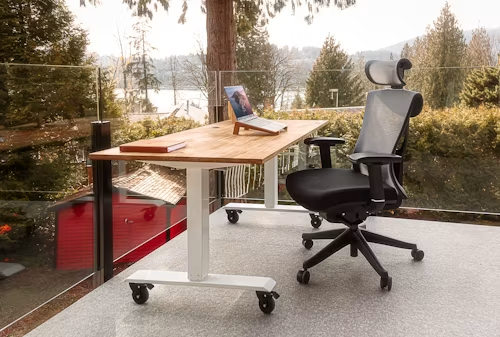
Why Remote Workers Struggle With Posture More Than Office Employees?
Remote work often removes the standardized desks, adjustable seating, monitor positioning, and other ergonomic features commonly available in dedicated offices. When household furniture becomes a long-term workstation, small compromises in screen height, chair support, and sitting position can make maintaining comfortable alignment more difficult throughout the day.
Many home workspaces evolve from convenience rather than intentional ergonomic design. Kitchen tables, couches, dining chairs, and temporary desk setups often become permanent workstations.
Home Workspace Habits That Create Strain?
Several common habits contribute to poor posture:
- Working from a laptop without an external monitor
- Sitting for extended periods without breaks
- Using chairs with limited support
- Positioning screens too low
- Leaning forward while typing
These habits place continuous stress on the neck, shoulders, lower back, and hips.
How Small Posture Errors Compound Over Time?
Posture issues rarely appear overnight. A slight forward lean today may seem harmless, but repeated daily for months can contribute to chronic discomfort and muscular imbalances.
As posture deteriorates, many workers experience fatigue long before they recognize the true source of the problem.
While posture habits matter, specific sitting mistakes often accelerate discomfort.
The Most Common Sitting Mistakes During Workdays
Recognizing repeated posture mistakes makes it easier to correct the workstation factors and habits contributing to them. Head position, shoulder alignment, pelvic posture, and equipment placement can interact throughout the workday, so seemingly minor problems may create discomfort when repeated for long periods.
Most posture-related problems stem from a handful of repeated behaviors.
Forward Head Position
Forward head posture occurs when the head moves ahead of the shoulders. Since the average adult head weighs around 10–12 pounds, every inch of forward movement increases strain on the neck and upper back.
Common causes include:
- Low monitor placement
- Laptop-only setups
- Reading documents on desks
- Frequent smartphone use
Rounded Shoulders And Pelvic Tilt
Rounded shoulders often develop when armrests are too low or absent. Meanwhile, poor pelvic positioning can flatten the spine’s natural curve, leading to lower-back discomfort.
Over time, these positions may reduce comfort, breathing efficiency, and overall productivity.
Understanding the problem is the first step. The next step is creating a workstation that encourages better alignment.
Building A Posture-Friendly Workstation
A posture-friendly workstation coordinates the chair, desk, monitor, keyboard, and foot position rather than treating each component separately. Properly arranging these elements can reduce unnecessary reaching, leaning, and neck movement while making a comfortable sitting position easier to maintain during routine computer work.
A well-designed workstation helps maintain healthy posture without requiring constant self-correction.
Monitor Placement
The top portion of the screen should generally sit near eye level. This encourages a neutral neck position and reduces the tendency to lean forward.
A few simple adjustments can make a significant difference:
| Workspace Element | Recommended Position |
| Monitor Height | Eye level |
| Viewing Distance | Arm’s length away |
| Keyboard Position | Elbows near 90 degrees |
| Feet Placement | Flat on the floor |
| Knees | Slightly below hips |
People researching how to choose the best ergonomic office chair under $300 often focus heavily on lumbar support while overlooking how monitor placement and overall workstation design influence posture.
Keyboard And Desk Positioning
The keyboard should allow relaxed shoulders and neutral wrist positioning. Desks that are too high force shoulder elevation, while desks that are too low encourage slouching.
Small adjustments in workstation geometry frequently produce immediate comfort improvements.
A properly arranged workspace creates the foundation, but daily habits determine long-term success.
Daily Habits That Support Better Ergonomics
Workstation adjustments are most effective when combined with regular movement and changes in sitting position. Building short breaks and simple stretches into the workday can reduce the effects of prolonged sitting while giving the body opportunities to move through different positions instead of remaining fixed for hours.
Even the best workstation cannot compensate for remaining stationary all day.
Movement Breaks
Frequent movement helps reduce muscle stiffness and improves circulation.
Simple recommendations include:
- Standing every 30–60 minutes
- Walking during phone calls
- Changing positions regularly
- Stretching briefly throughout the day
Workers spending entire days seated often benefit from a best ergonomic office chair under $300 for long hours because sustained comfort becomes increasingly important as sitting time accumulates.
Stretching And Position Changes
Changing posture throughout the day is often more beneficial than trying to maintain one “perfect” position continuously.
Simple stretches targeting:
- Hip flexors
- Chest muscles
- Hamstrings
- Upper back
can help offset prolonged sitting.
Even a well-designed chair can perform below expectations when setup and daily usage of ergonomic office chairs under $300 receive little attention from the user.
Healthy habits help maximize any ergonomic investment.
However, sometimes posture problems persist because the chair itself creates limitations.
When Your Chair Becomes The Limiting Factor?
Persistent discomfort can indicate that a chair does not provide the support or adjustability needed for the user’s body and workstation. Evaluating lumbar support, seat depth, armrest positioning, and recline behavior can help determine whether better adjustments are possible or whether the chair itself is restricting comfortable alignment.
A workstation can only perform as well as its weakest component.
Signs Of Inadequate Support
Common indicators include:
- Lower-back fatigue
- Frequent shifting and fidgeting
- Neck tension
- Shoulder discomfort
- Pressure points on the thighs
Persistent discomfort often leads users toward a best ergonomic office chair under $300 for back support that provides more consistent lumbar alignment throughout the workday.
Features That Improve Long-Term Comfort
Not every ergonomic feature delivers equal value. Some have a more direct impact on posture quality than others.
| Feature | Posture Benefit |
| Adjustable Lumbar Support | Maintains spinal curve |
| Seat Depth Adjustment | Supports thighs properly |
| Adjustable Armrests | Reduces shoulder strain |
| Recline Mechanism | Encourages movement |
| Headrest | Supports neck during recline |
Adjustable lumbar tension, seat depth, and recline functionality remain among the key features of ergonomic office chairs under $300 that directly influence long-term sitting comfort and posture quality.
The right chair cannot eliminate every posture problem, but it can significantly reduce the strain caused by extended desk work.
Improving posture usually involves several factors working together rather than relying on a single chair adjustment or sitting position. The following questions address common concerns about movement, workstation equipment, chair support, and the adjustments that can influence comfort during remote work.
FAQs About Sitting Posture While Working From Home
Healthy sitting habits depend on workstation setup, regular movement, appropriate equipment positioning, and individual comfort. These frequently asked questions clarify some of the practical decisions remote workers face when trying to improve alignment and reduce strain throughout the workday.
Is it possible to maintain perfect posture all day?
No. Constant movement is healthier than trying to hold a single posture for an entire workday.
How often should I stand up while working?
Most ergonomics professionals recommend standing or moving at least once every 30 to 60 minutes.
Can a better chair fix back pain?
Not always. A chair can help reduce strain, but workstation setup, movement habits, and overall posture also matter.
Is a laptop alone bad for posture?
Not necessarily. However, external monitors and keyboards usually make it easier to maintain proper alignment.
What is the most important ergonomic adjustment?
Monitor height is often one of the most impactful adjustments because it directly affects neck and upper-back positioning.
These considerations provide a practical foundation for evaluating sitting habits and workstation adjustments together rather than expecting one ergonomic change to address every source of discomfort.
Final Verdict
Improving sitting posture while working from home is less about maintaining a rigid position and more about creating an environment that supports healthy movement and alignment. A thoughtful workstation, consistent movement habits, and a supportive chair can dramatically improve comfort, productivity, and long-term physical well-being.